
Android File Transfer for Mac: what to use now.
Google's old Mac app is gone. Here is what works today for moving files between an Android phone and a Mac, by cable or wirelessly, and what each option can't do.
What happened to Android File Transfer for Mac?
Google no longer offers it. The address where the app lived, android.com/filetransfer, now redirects to the Quick Share for Windows page. Google's own guide to moving files between a computer and an Android phone lists a USB cable for Windows and Chromebook, and has no Mac option.
A Mac and an Android phone can still exchange files. What disappeared is Google's app. You can replace it with a different cable app, with AirDrop-style sharing from the phone, or with a cross-platform app. Which one fits depends on what you move.
Checked against Google's, Samsung's, OpenMTP's and LocalSend's own pages and the QuickDrop App Store listing on November 16, 2026.
Which one should you use?
If your Mac can't see the phone
Most cable problems come down to the phone's USB mode or the cable itself. Try these in order. The first and last are Google's own troubleshooting steps.
Six ways to move files between an Android phone and a Mac
What each one does well, and where it stops.
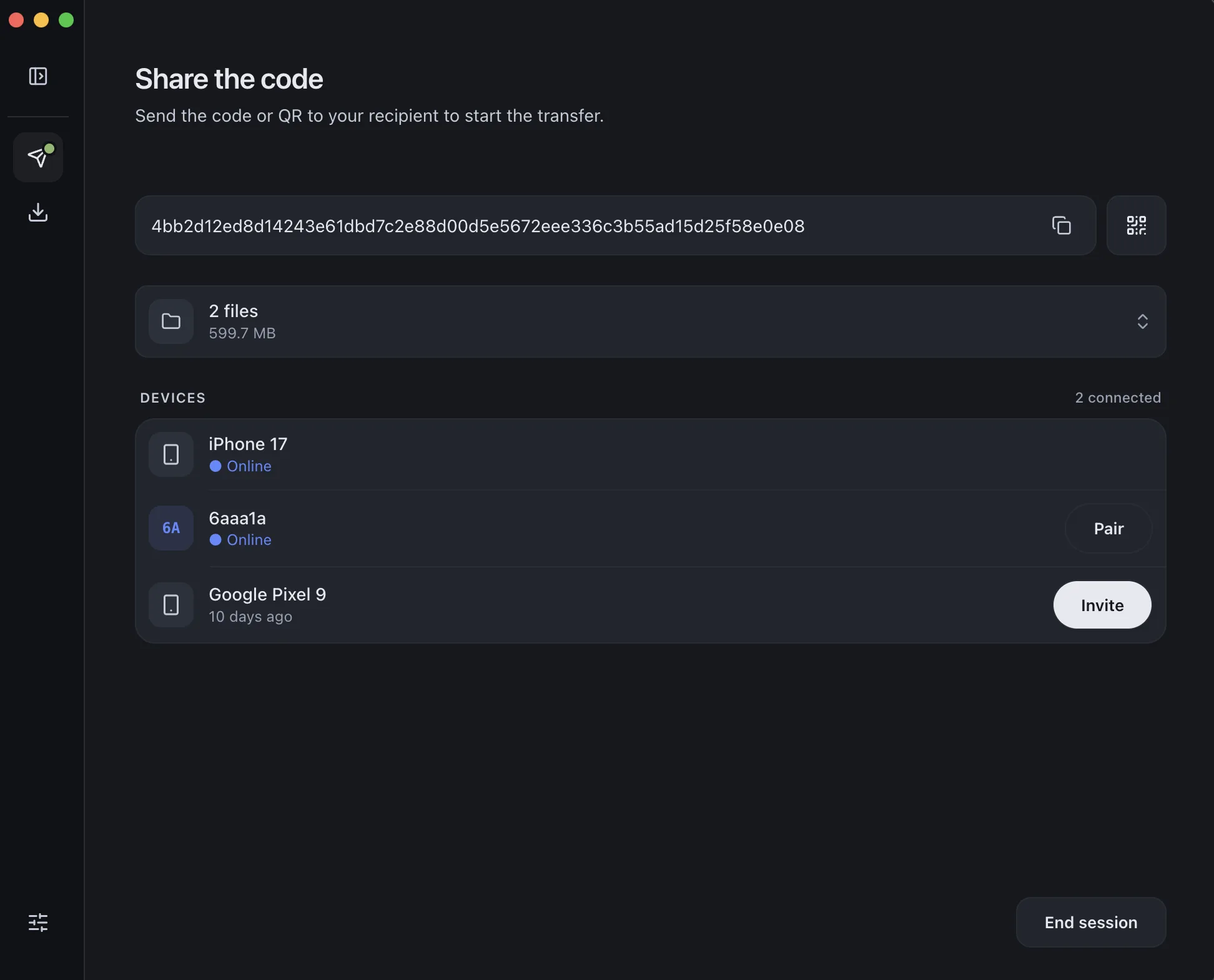
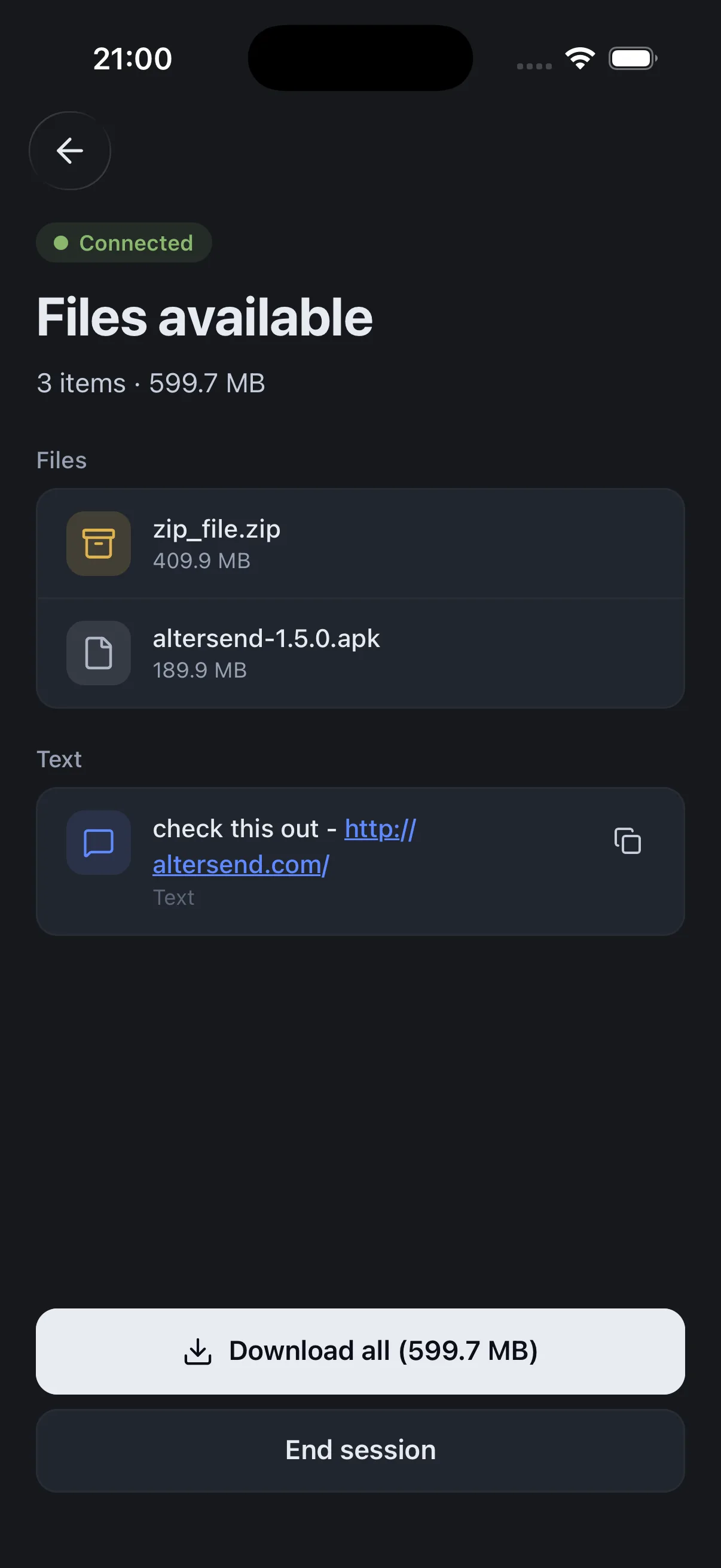
Install the free app on the Mac and the phone, pair once with a QR scan, then send files or whole folders directly, end-to-end encrypted. It works on the same Wi-Fi or across the internet, and nothing is stored on a server.
The catch: You need the app on both devices, and both must be open during the transfer. It sends files; it does not browse the phone's storage like a drive. If the devices cannot connect directly, an encrypted relay carries the transfer instead, capped at 20 GB between apps.
Download AlterSendA free, open-source Mac app (MIT license) that does what Google's app did. Unlock the phone, choose File transfer in the USB notification, and OpenMTP shows the phone's folders next to the Mac's. It runs on Apple Silicon and Intel.
The catch: Cable only, and the phone must be in File transfer mode. It needs macOS 10.14 or later. Its README says only the latest three macOS versions receive device-support updates. Download it only from its official site, GitHub page or Homebrew; its README warns about copycat sites.
OpenMTPGoogle's Quick Share can send to an iPhone, iPad or Mac through AirDrop. On the Mac, set AirDrop to Everyone for 10 minutes. On the phone, tap Share, then Quick Share, then pick the Mac and wait for it to accept. Google's help says it works from a Pixel 8a or later and from certain Samsung, Oppo, OnePlus, Vivo, Xiaomi, Honor, Transsion and Motorola phones.
The catch: Only phones on Google's list, within Bluetooth range, and the Mac has to be set to Everyone for 10 minutes each time. Samsung phones also need the Share with Apple devices setting on.
Google: use Quick Share on your Android deviceTap Use QR code in Quick Share and scan the code on the receiving iPhone, iPad or Mac. Google's help says the files then download in that device's default web browser, and that they are end-to-end encrypted.
The catch: The files are uploaded to Google's servers and stay available for 24 hours. Google's help sets a limit of 10 GB per 24 hours, 1,000 files in one share, and both devices need internet access.
Google: send content to an iPhone, iPad or MacSamsung's Smart Switch for Mac backs a phone up to the Mac over USB and restores the backup to a Galaxy phone or tablet. Samsung's help lists macOS 10.9 or later.
The catch: It is a backup and restore tool, not a way to copy single files, and it is made for Samsung devices. The backup file takes disk space on the Mac until you delete it.
Samsung: Smart Switch for Windows or MacA free, open-source app that shares files and messages with nearby devices over your local network, with no internet connection needed. It runs on macOS and Android, among others.
The catch: Same network only. A guest Wi-Fi with client isolation, or two different networks, will not work. If devices don't show up, its troubleshooting table has the fixes.
LocalSend on GitHubWe make AlterSend, so weigh the first option accordingly. If you want to browse and rename files on the phone, OpenMTP is the closest match to the old Google app.
Send between an Android phone and a Mac with AlterSend
- 01Install on both devicesFree on Mac, Android, Windows, Linux and iPhone.
- 02Scan a code to pairOne QR scan connects them. Pair once and they remember each other.
- 03Send, directlyFiles and whole folders go straight across, encrypted, in either direction. No cable, no cloud storage.