
Short answer
Tap the cloud icon on Keepsafe's main screen and check two things: that backup is on, and how much of your quota is used. Keepsafe Basic backs up 200 items, Premium 10,000 and the Lifetime plan 100,000; anything above the limit stays on the phone only, and items in Keepsafe's Trash still count until you empty it. If your Premium lapsed, only 200 items stay backed up. Keepsafe also tells you to keep the app open with the screen on until everything has synced. Before changing phones, check that every item shows as backed up, and do not reset the old phone until the new one has them all.
On this page
First, see what Keepsafe thinks is backed up
Everything else on this page depends on one screen. Open Keepsafe and tap the cloud icon on the main screen, where your albums are. Keepsafe's help says that is where you see your quota, and it is also where the backup switch lives. In Settings, the same controls are under Backup & Sync.
Keepsafe describes the backup as a mirror of your Keepsafe gallery in your own private Keepsafe cloud. Once it is on and has finished, anything you import is encrypted and synced, and can be downloaded again if something happens to the phone or you switch phones. If what you see on the cloud screen does not match what you expect, one of the reasons below is why.
Sources: Keepsafe Help: How does the Keepsafe backup work?, Keepsafe Help: How do I transfer photos to a new phone?
Seven reasons the backup stops
- Backup is turned off
It is a switch, not a default you can assume. Turn it on from the cloud icon, or Settings, Backup & Sync, on every device that uses the account.
- The cloud is full
Keepsafe's limits, from its own help: Basic syncs up to 200 items, Premium (monthly and yearly) up to 10,000, and the Lifetime plan up to 100,000. Items beyond the limit stay in the app on that phone only. Keepsafe's storage article is blunt: on Basic, if you change phones, lose the phone or it breaks, you will only be able to download the 200 items that are backed up.
- Trash is using your quota
Keepsafe says synced items moved to its Trash stay synced and continue to count against your cloud quota. Only items deleted from the Trash are removed from the app and the cloud. A full Trash can be the reason a nearly empty vault is out of space.
- Premium ran out
When a subscription expires and you downgrade to Basic, Keepsafe says only 200 items remain backed up. Everything stays in the app, but the rest no longer has a backup. If Space Saver was on, it is switched off and the full-size files download to the phone.
- The app closed before syncing finished
Keepsafe's own instruction for a new phone is to keep the app open, with the screen on, until all of your contents have synced. The same applies when backing up a large vault on the old phone: leave it open on Wi-Fi, check the cloud screen, and do not assume a sync finished in the background.
- A different Keepsafe account
The backup belongs to the email address you signed in with. A new phone signed in with another email shows that account's cloud, not yours. On Android, Keepsafe allows one installation per device, and switching accounts means removing the previous installation's data, which Keepsafe warns makes previously hidden content inaccessible. Do not do that while anything is not backed up.
- The access code never arrives
Keepsafe signs you in on a new device with a code sent by email. Its help says to check the right inbox and the spam folder, that a code is valid for 24 hours, and that only the most recent code works if you requested several. Use Resend on the same screen, then write to support@getkeepsafe.com with the email address you use Keepsafe with if it still does not come.
Sources: Keepsafe Help: How does the Keepsafe backup work?, Keepsafe Help: What happens when I run out of storage?, Keepsafe Help: What to expect when my subscription expires, Keepsafe Help: How do I transfer photos to a new phone?, Keepsafe Help: How do I delete existing Keepsafe files/data on Android?, Keepsafe Help: Not receiving access codes
Space Saver: the backup that is also the only copy
Space Saver is a Premium feature that keeps compressed versions on the phone and the full-size originals in Keepsafe's cloud. That is fine while the cloud holds them, and it changes what "backed up" means: with Space Saver on, the cloud is not a second copy of your full-size photos, it is the only one.
Turning it off is how you get the originals back onto the phone. Keepsafe's steps: in Settings, toggle Space Saver off; on Android, tap the cloud icon, scroll down and toggle Space Saver off. Then tap Download. Keepsafe asks you to be on Wi-Fi and not to close or minimise the app until everything has downloaded, and warns the photos will take more space again. Do this before a subscription lapses or before you change phones, not after.
Sources: Keepsafe Help: How do I turn Space Saver off?, Keepsafe Help: What to expect when my subscription expires, Google Play: Private Photo Vault - Keepsafe
Moving to a new phone without losing anything
These are Keepsafe's own steps, with the checks that stop a half-finished sync from costing you photos.
- On the old phone, confirm everything is backed up
Backup on, the cloud screen showing all items synced, and the count within your plan's limit. If it is over the limit, upgrade or use the manual route in step 5.
- Install Keepsafe on the new phone
Sign in with the same email address. The access code goes to that address.
- Turn on backup on the new phone too
Keepsafe says to make sure cloud backup is enabled on both devices.
- Keep the app open until it finishes
Screen on, Keepsafe open, until every album has synced. Then compare the counts with the old phone.
- Over the limit and not upgrading?
Keepsafe's manual route: export (unhide) the items that are not backed up back to the old phone's gallery, move them to the new phone by any method, and import them into Keepsafe there. Pause Google Photos or iCloud backup while they are outside, so the plain copies are not uploaded.
- Only then reset the old phone
Keepsafe's own first line on this: transfer your items before you sell or trade in the old device.
Sources: Keepsafe Help: How do I transfer photos to a new phone?, Keepsafe Help: What happens when I run out of storage?
If you cannot get into the account
- You forgot which email you used
- Keepsafe says it cannot tell you. Its suggestion is to email support from each address you own, with the subject "Is this email registered with Keepsafe?", and it will tell you which one, if any, is linked.
- You lost access to that email
- Keepsafe says that if you have permanently lost access to the only email address you verified, it will not be possible to recover that Keepsafe account or its contents. Its advice for the future is to add at least one backup email address. If you still have access, do that today.
Sources: Keepsafe Help: I forgot which email address was used, Keepsafe Help: I lost access to my Keepsafe email address
What turning the backup on means
A working Keepsafe backup is a real safeguard against a lost or broken phone, and it is the feature to fix if you rely on Keepsafe. It also means your photos are on Keepsafe's servers. Keepsafe documents encryption at rest and says it does not look at your content, and it also says the app is not designed as a completely zero-knowledge app, and an email access code is the way into the account on a new device. If that combination is fine for what you keep, the steps above are all you need.
Sources: Keepsafe Help: How does Keepsafe protect my data?, Keepsafe Help: Can Keepsafe see any of my content?, Keepsafe Help: Not receiving access codes
Where a vault app fits, including ours
We make AlterVault, so weigh this section accordingly. It answers the same question, how do I not lose these photos, the opposite way: no account, no cloud, and no item limit on a backup.
Instead of syncing to a server, AlterVault writes your whole vault to one encrypted file that you save wherever you choose: a computer, a drive or your own cloud storage. That file restores on any new Android phone or iPhone with your code. Files are sealed with XChaCha20-Poly1305 and the key comes from your code through Argon2id, so there is no email code and nobody who can sign in for you. It costs $24.99 once, with 10 items free.
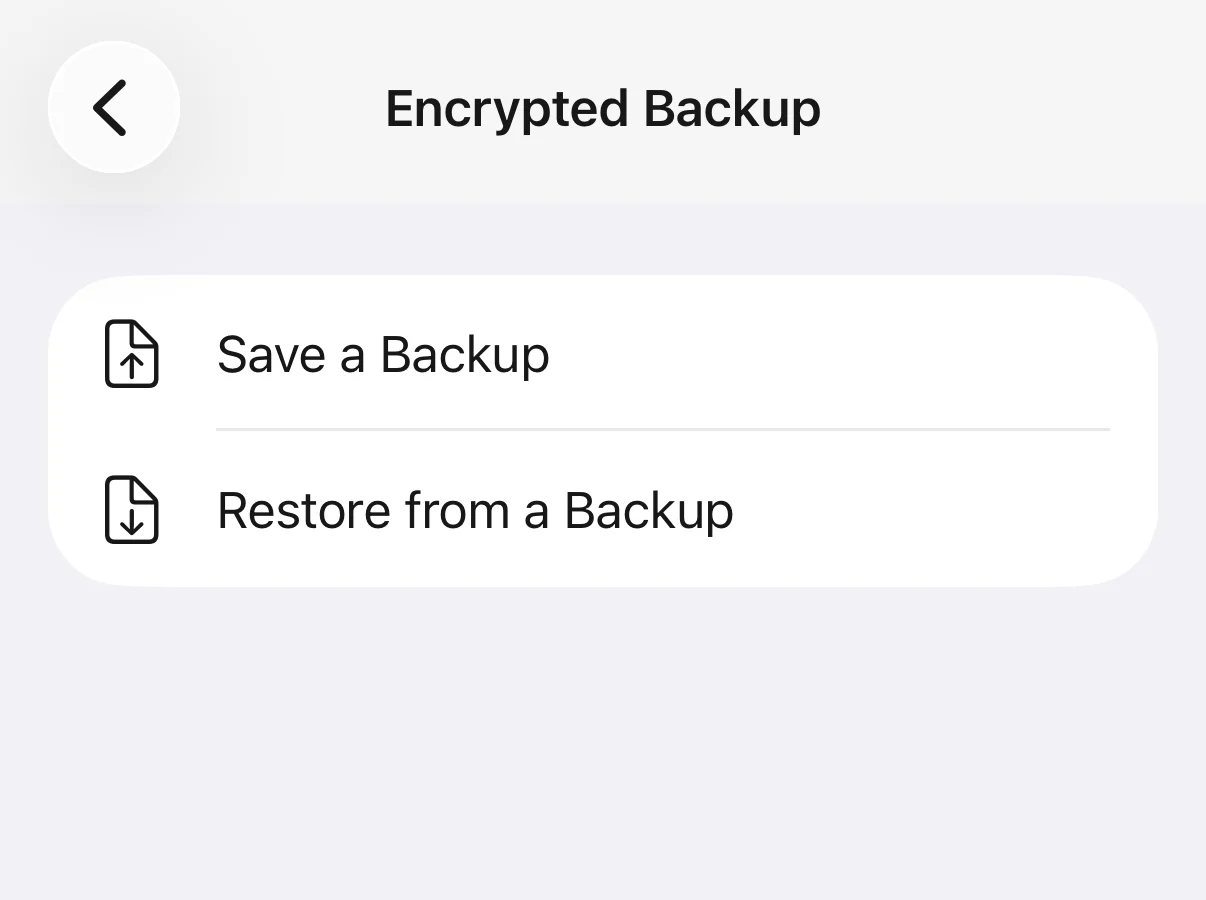
Where Keepsafe is better: its backup is automatic and syncs between devices; ours is a file you have to make yourself, and it is only as recent as the last time you made it. A backup file is also a copy someone could take and guess at offline, about a second per try against six digits, so keep it private. The app sends anonymous usage events and a purchase check, never your photos, file names or code.
Questions
Why is Keepsafe not backing up my photos?
Usually because backup is off, the cloud is at its limit (200 items on Basic, 10,000 on Premium, 100,000 on Lifetime), items in Keepsafe's Trash are using the quota, Premium lapsed, or the app was closed before the sync finished. Tap the cloud icon on the main screen to see the switch and the quota.
How many photos does Keepsafe back up for free?
200 items on Keepsafe Basic, according to Keepsafe. Premium monthly and yearly plans sync up to 10,000 items and the Lifetime plan up to 100,000.
Why are only some of my Keepsafe photos on my new phone?
Because only backed-up items download to a new phone. On Basic that is at most 200. Check the old phone's cloud screen; if items there are not backed up, upgrade or export them and move them manually before you reset the old phone.
Do items in Keepsafe's Trash count against my storage?
Yes. Keepsafe says synced items moved to the Trash stay synced and keep counting against your cloud quota. Deleting them from the Trash removes them from the app and from the cloud.
What happens to my Keepsafe backup if I cancel Premium?
Keepsafe says only 200 items remain backed up once you downgrade to Basic. All items stay in the app, but the rest lose their backup, and Space Saver is turned off so full-size files download to the phone.
I'm not getting the Keepsafe access code. What do I do?
Check that you are looking in the inbox of the email registered with Keepsafe, and its spam folder. Codes are valid for 24 hours and only the last one requested works. Tap Resend on the code screen, and contact support@getkeepsafe.com if it still does not arrive.
Can I recover Keepsafe if I lost access to my email?
Keepsafe says no: if you have permanently lost access to the only verified email address, the account and its contents cannot be recovered. Add a second email address to your account while you still can.
Does Keepsafe delete photos from my gallery?
Not by itself. Its listing says that once photos are imported you can choose to delete them from your phone's public gallery. Once you do, Keepsafe and its backup are the only copies, which is why a working backup matters.