Short answer
You do not need an alternative to Secure Folder for strength: it is a hardware-isolated Knox container and nothing from the Play Store matches that. You need one if you want no Samsung account in the loop, a library that moves to a Pixel or an iPhone as one file, or a vault that can be handed over without revealing it exists. AlterVault does those three things; Secure Folder does none of them by design.
On this page
- AlterVault vs Secure Folder
- Secure Folder is the strongest thing built into Android
- Three reasons people still look elsewhere
- Secure Folder vs Private Album: which one hides photos?
- Forgot your Secure Folder PIN? What actually works
- Moving Secure Folder to a new phone
- Hiding the icon and the "Secure Folder is locked" notification
- What AlterVault does differently
- On a Samsung, use both
- Getting files out of Secure Folder
- Questions
AlterVault vs Secure Folder
Secure Folder facts from Samsung's support pages, linked in the sections below. AlterVault facts from the app source.
 AlterVault
Secure Folder is the strongest thing built into Android
Secure Folder is not a folder. It is a second Android profile running inside a Knox container, with its own encrypted storage, its own copies of Gallery, My Files and Camera, and its own lock. Apps in the main profile cannot see into it, and the isolation is enforced by hardware, not by an app checking a PIN before it shows you a thumbnail.
One UI 8 made it stronger again. Up to One UI 7 the container ran as an Android work profile, and a few system components, the Permission Controller and the Photo Picker among them, could still see into it. One UI 8 moved Secure Folder onto Android's newer Private profile, which closes that gap as long as the folder is locked and hidden.
On strength alone, nothing you can install from the Play Store beats it, AlterVault included. If strength is your only criterion and you are staying on Samsung, you can stop reading here.
Sources: Samsung: What is the Secure Folder and how can I use it, SamMobile, July 2025: One UI 8 moves Secure Folder to the Private profile
Three reasons people still look elsewhere
- It needs a Samsung account
- Samsung's own setup guide is unambiguous: to create a Secure Folder you must sign in to a Samsung account first. The account is also the only recovery path for a forgotten lock. An account that can restore access is an account that is in the loop, and one that can be compelled, phished or simply locked for a billing reason.
- It does not leave Samsung
- The contents are bound to Knox on that device. Moving to another Samsung means a cable and Smart Switch; moving to a Pixel or an iPhone means moving everything out by hand first. Samsung has withdrawn Secure Folder cloud backup entirely, and on One UI 8 the in-app restore option is gone too.
- Everyone can see it is there
- An icon in the app drawer, an entry under Settings, a toggle in the quick panel, and a persistent "Secure Folder is locked" notification on many phones. You can hide the icon, but the Settings entry and the quick-panel tile remain. Asked what it is, you either open it or refuse. It was never designed to be denied.
None of these is a flaw in the engineering. They are the consequences of Secure Folder being a feature of a Samsung phone rather than a product you own.
Sources: Samsung: What is the Secure Folder and how can I use it, Samsung: Cannot backup Secure Folder
Secure Folder vs Private Album: which one hides photos?
One UI 8.5 adds a Private Album inside the Samsung Gallery app, after it spent a release hidden behind the Gallery's Labs menu. The two are often confused, and they solve different problems.
- Private Album
- A locked album inside the normal Gallery. Photos stay in the main profile and are hidden from the timeline, search and sharing sheets until you unlock the album. It is the Samsung equivalent of Google Photos' Locked Folder: quick, built in, no second profile to manage, and tied to the same phone and the same account.
- Secure Folder
- A whole second workspace, with its own apps, files, accounts and lock. Heavier to use, because you move things in and out of a separate space, but it hides apps and documents as well as photos and it is isolated at the hardware level.
- Pick Private Album when
- You want a handful of photos out of the main timeline on a phone nobody else unlocks. It is the lowest-friction option on a Samsung and costs nothing.
- Pick Secure Folder when
- You need apps and documents hidden too, or you want hardware isolation against someone who has your unlocked phone and knows what they are looking for.
- Pick a vault app when
- You want no Samsung account, a library that moves to any phone as one encrypted file, or a decoy to hand over. Neither Samsung feature offers any of the three.
Private Album details are based on pre-release coverage of One UI 8.5. If your Gallery has no Private Album entry, your phone has not received that update yet.
Sources: SamMobile, September 2025: Private Album in One UI 8.5
Forgot your Secure Folder PIN? What actually works
This is the Secure Folder question people search for most, and the answer depends entirely on a setting you chose when you created the folder. Samsung's support page says a forgotten PIN, pattern or password can be reset only if "Reset with Samsung account" was enabled beforehand. If it was off, Samsung's words are that "the Forgot prompt will not appear and you will not be able to recover access."
- Enter the wrong code
Open Secure Folder and enter any PIN, pattern or password. After the failure, a Forgot link appears at the bottom of the lock screen, but only on phones where the reset option is on.
- Tap Forgot, then Reset
Confirm the pop-up and sign in to the Samsung account the folder was created with. Not just any Samsung account: the one that was signed in at setup.
- Set a new lock
Choose a new PIN, pattern or password. The contents are kept. This is also the moment to check that "Reset with Samsung account" is still on, under Secure Folder settings, Lock type.
If no Forgot link appears, the honest answer is that there is no supported way in. Forum advice to clear Secure Folder's data or reinstall it removes the container and its contents. A Samsung service centre can check the device but cannot decrypt the folder. This is the trade-off of a Knox container, and it is also why a vault whose recovery is a phrase you wrote down, not an account, is worth considering.
Moving Secure Folder to a new phone
Secure Folder contents do not ride along with an ordinary backup. Samsung says data backup is no longer available for Secure Folder, and that on devices running Android 16 with One UI 8 or higher the restore function inside Secure Folder is gone as well. What remains is a direct transfer.
- Connect the two phones
Open Smart Switch on both and connect them with a USB cable. Wireless transfer often leaves the Secure Folder option greyed out; a cable is the reliable path.
- Unlock Secure Folder on the old phone
Smart Switch can only read the container while it is unlocked. If the option shows as disabled, this is almost always why.
- Select Secure Folder in the custom transfer
Choose the custom selection rather than the default set, tick Secure Folder, and run the transfer. On the new phone, sign in to the same Samsung account and set up Secure Folder before the data lands.
- Check, then wipe
Open Secure Folder on the new phone and count. Only then factory-reset the old one. Transfers failing after a Knox ID change are a recurring complaint in Samsung's own forums, so verify before you erase.
Moving to a non-Samsung phone: none of the above applies. Move everything out of Secure Folder into the normal Gallery first, transfer the phone, and re-protect the files on the other side. The steps are at the end of this guide.
Sources: Samsung: Cannot backup Secure Folder
Hiding the icon and the "Secure Folder is locked" notification
- Hide the app icon
- Settings, Security and privacy (Biometrics and security on older One UI), Secure Folder, then turn off "Add Secure Folder to Apps screen". The same switch is inside Secure Folder's own settings.
- Hide it from the quick panel
- Swipe down twice and tap the Secure Folder tile to toggle it off. The tile itself stays in the panel, so anyone who knows Samsung phones can still see the feature is set up.
- Silence the notification
- Settings, Notifications, App notifications, Secure Folder, and turn notifications off. On some firmware the "Secure Folder is locked" line comes from Android System instead: open its notification categories and turn off Alerts. On One UI 8 phones the notice is mostly gone.
- What you cannot hide
- The Secure Folder entry in Settings, and the quick-panel tile. Hiding Secure Folder makes it less visible, not deniable.
Sources: Samsung: What is the Secure Folder and how can I use it
What AlterVault does differently
- No account, anywhere
- No sign-in, no reset path, nothing to compel. The key is derived from your code with Argon2id and wraps a master key in the Android Keystore. If you forget the code, a 12-word recovery phrase you wrote down at setup gets you in. Nobody else can.
- A decoy instead of a locked door
- Shake the phone once and the vault becomes an ordinary gallery of ordinary photos. Secure Folder cannot do this, because its whole design is a visible locked container. Being asked to open it is the one situation it has no answer for.
- It leaves with you
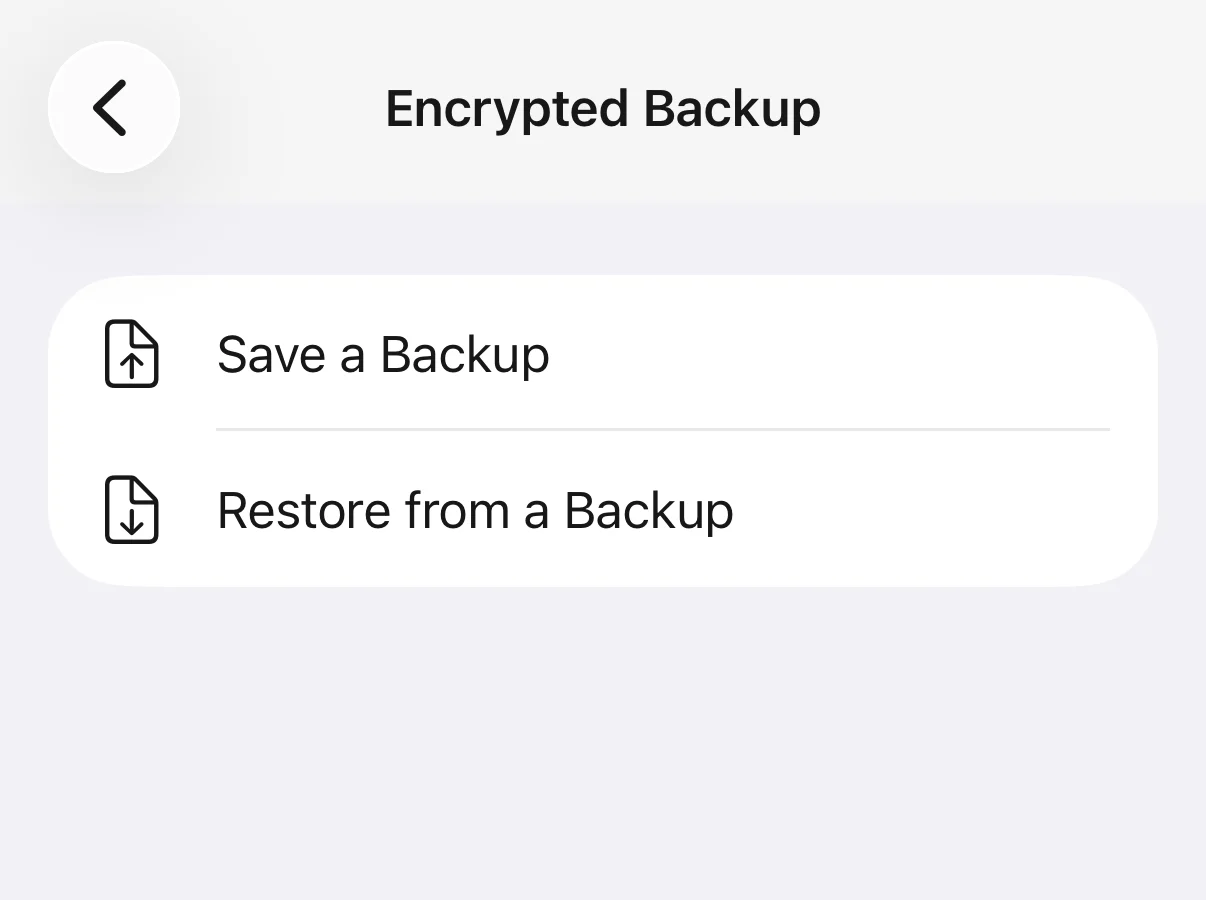
- Your whole library writes to one encrypted backup file per vault. Copy that file to a Pixel, an iPhone or a laptop, install the app, enter your code, and everything is back. No Smart Switch, no cable, no brand requirement.
- Encrypted per file, not per container
- Every photo and video is encrypted individually with XChaCha20-Poly1305, thumbnails included. Pull the files off the phone and they are noise. The container model is stronger against a live attacker on the device; the per-file model is what makes the backup portable.
AlterVault runs in the ordinary app sandbox, not a Knox container, and its Android build holds the INTERNET permission for the purchase check through RevenueCat and for anonymous usage events sent to PostHog. Photos, file names and your code never touch the network. Both facts are stated here because a guide that hides them would deserve the scepticism this category has earned.
On a Samsung, use both
This is not a choice between them. Secure Folder for the second set of apps and accounts, which it does better than anything else. AlterVault for the photos and documents you want encrypted per file, portable, and deniable.
The one rule: do not keep the only copy of anything inside a container that will not follow you. Samsung's own pages now say there is no backup for Secure Folder. Treat it as a workspace, and keep the archive somewhere that produces a file you can hold.
Getting files out of Secure Folder
- Move out
Inside Secure Folder, open Gallery or My Files, select everything, tap the menu and choose Move out of Secure Folder. They land in the main profile's Gallery and DCIM folder.
- Verify the count
Check the number in the normal Gallery before you do anything else. Moving out is the step people assume worked and did not.
- Import, then clean up
Bring them into the new app. Then delete the unprotected copies from the Gallery and empty the Recently deleted bin, which keeps them for 30 days otherwise.
Questions
Is Samsung Secure Folder safe?
Yes. It is a separate encrypted profile inside a Knox container, with its own lock and hardware-backed isolation, and One UI 8 moved it to Android's Private profile so system components can no longer see into it. Its limits are structural, not cryptographic: it needs a Samsung account, it does not leave Samsung hardware, and it is visibly present on the phone.
Why would I use a vault app instead of Secure Folder?
Not for strength. Use one if you want no Samsung account in the loop, a library that moves to any phone as one encrypted file, or a decoy gallery to hand over when asked. Secure Folder protects against discovery but has no answer to being asked.
I forgot my Secure Folder password. Can I reset it?
Only if "Reset with Samsung account" was switched on when you set the lock. Enter a wrong code, tap Forgot, tap Reset, sign in to the Samsung account used at setup, and choose a new lock; your contents are kept. If the Forgot link never appears, Samsung says access cannot be recovered. Reinstalling Secure Folder removes its contents.
Does Secure Folder transfer to a new phone?
Samsung to Samsung, yes, through Smart Switch over a USB cable with Secure Folder unlocked and selected in the custom transfer. Samsung has discontinued Secure Folder backup, and on One UI 8 the in-app restore is gone, so the cable transfer is the only supported route. To a Pixel or an iPhone, no: move everything out of Secure Folder first.
Do I need a Samsung account for Secure Folder?
Yes. Samsung's setup guide requires signing in to a Samsung account to create it, and that account is the only recovery path for a forgotten lock. AlterVault has no account at all: nothing to sign in to, nothing to reset, and nothing on a server to compel.
What is the difference between Secure Folder and Private Album?
Private Album, new in One UI 8.5, is a locked album inside the Gallery app for photos and videos only, similar to Google Photos' Locked Folder. Secure Folder is a whole second profile that can hold apps, documents and accounts, isolated by Knox. Neither one works without a Samsung phone, and neither offers a decoy.
Can someone tell I have a Secure Folder?
Yes. Even with the app icon hidden, the Secure Folder entry stays in Settings and the tile stays in the quick panel, and many phones show a "Secure Folder is locked" notification. Anyone holding your phone can see that a locked container exists. A vault app with a decoy gallery is the design built for that situation.
How do I get rid of the "Secure Folder is locked" notification?
Settings, Notifications, App notifications, Secure Folder, off. If it persists, it is coming from Android System: open that app's notification categories and turn off Alerts. Hiding Secure Folder from the quick panel also stops notifications from apps inside it. Phones on One UI 8 largely no longer show the notice.