
Short answer
Phone searches are rare: US Customs and Border Protection says fewer than 0.01 percent of arriving travellers had a device searched in fiscal 2025, and 92 percent of those searches were manual look-throughs rather than forensic copies. Agents may not use your phone to look at anything stored only in the cloud, and they put the phone in airplane mode first. In the US, a citizen cannot be refused entry for declining to unlock, but the phone can be held; a visitor can be refused entry. In Canada you are obliged to give your password. The safe preparation is to carry less: back up, move what you do not need off the phone, power it off, and use a passcode rather than a fingerprint. Do not use a decoy or anything meant to mislead an officer.
On this page
How often this actually happens
Start with the numbers, because the headlines leave them out. CBP processed over 419 million travellers at US ports of entry in fiscal 2025 and searched the electronic devices of 55,318 of them. That is less than 0.01 percent of arrivals, and about 0.47 percent of the 11.6 million people sent to secondary inspection. Of those searches, 50,922, or 92 percent, were what CBP calls basic: an officer looking through the phone by hand, with nothing plugged in.
Canada publishes similar figures. The CBSA says that from November 2017 to the end of 2025, 0.007 percent of travellers processed had a digital device examined, and that officers examine a device only when they have indicators or concerns that a border law may have been broken, not as a matter of course.
So the odds for an ordinary traveller are low, and lower still of a forensic copy. That does not make preparation pointless. It means the preparation should be proportionate: the sort of thing you can do in an evening, not a new phone and a new life.
Sources: US Customs and Border Protection: Border Search of Electronic Devices at Ports of Entry, Canada Border Services Agency: Examining digital devices at the Canadian border
What a search is, and what it is not
CBP's policy separates two kinds of search. A basic search is an officer reviewing the contents of the device manually, without external equipment. An advanced search is one where equipment is connected to copy or analyse the contents, and under CBP policy that needs reasonable suspicion of a violation or a national security concern, plus a senior manager's approval. Connecting equipment merely to make the device readable, including to bypass a password or overcome encryption, does not count as advanced in CBP's definition.
Two limits apply to both kinds. CBP says a border search covers only information resident on the device at the time, and that officers may not use the device to access information stored solely remotely. Before a search begins, officers either ask you to put the phone in airplane mode or do it themselves. The CBSA describes the same step: the officer disables network connectivity so that only what is stored on the device can be examined. Your cloud photo library, in other words, is not supposed to be on the table, but whatever is cached on the phone from it is.
CBP also says it may keep copies of information from a device if there is probable cause of a violation or the information relates to immigration, customs or other enforcement matters, for up to 15 years in its targeting system. Any passcode you give is to be deleted when no longer needed for that search.
Sources: US Customs and Border Protection: Border Search of Electronic Devices at Ports of Entry, Canada Border Services Agency: Examining digital devices at the Canadian border
Can you refuse to unlock it?
You can decline. What happens next depends on where you are and who you are, and the official pages are blunt about it.
- US citizen
- CBP says a citizen will not be denied entry for not presenting a device in a condition that allows examination. The device itself may be detained or excluded, and processing may take longer. EFF's guide adds that agents may escalate in other ways: a longer detention, more questions, a more intensive bag search.
- US lawful permanent resident
- EFF describes this as complicated: agents may raise questions about continued residency. Green card holders with any doubt should talk to an immigration lawyer before travelling, not at the desk.
- Visitor to the US
- CBP says it may consider a foreign national's refusal when deciding admissibility, and that admissibility is judged on the totality of the circumstances. In practice, EFF says, a visitor who declines may be denied entry.
- Anyone entering Canada
- The CBSA says you are obligated to provide your password when asked. The officer writes it on a piece of paper, examines the device usually in your presence, and returns the paper with the device if nothing is found. Refusing can mean the device is detained or seized.
EFF's border guide and its shorter SSD module both carry a note from EFF that parts may be out of date, and the agency pages above are the current word on policy. For your own situation, a lawyer's advice beats any web page, including this one.
Sources: US Customs and Border Protection: Border Search of Electronic Devices at Ports of Entry, Canada Border Services Agency: Examining digital devices at the Canadian border, EFF: Digital Privacy at the U.S. Border (2017), EFF Surveillance Self-Defense: Things to Consider When Crossing the U.S. Border (2018)
Do not lie, and do not use a decoy
This section is here because we make a vault app with a decoy gallery, and because every forum thread about border searches eventually suggests one. EFF's guidance is clear and we agree with it: lying to a border agent can be a serious crime, agents may take a broad view of what counts as lying, and EFF recommends against any method that may be, or even appear to be, calculated to deceive or mislead agents about what data is on a device. That includes hidden volumes that show different data for different passwords, and it includes a decoy vault.
The three rules EFF gives for the encounter itself are: be courteous, do not lie, and do not physically interfere. If you are asked to unlock and decide to comply, EFF notes you can say you are complying under protest and do not consent, which may matter if you later challenge the search. If you are asked whether there is anything else on the phone, the answer has to be true.
What is legitimate, and what EFF itself recommends, is carrying less. Leaving data at home, backing it up and removing it, or keeping it in a cloud you will reach from your destination are choices about what you travel with, not a trick played at the desk. The difference is whether an honest answer to an officer's question would still be honest.
Sources: EFF: Digital Privacy at the U.S. Border (2017), EFF Surveillance Self-Defense: Things to Consider When Crossing the U.S. Border (2018)
The evening before: what to actually do
- Decide what the trip needs
EFF's first question is whether you need all your data while travelling. Most trips need a camera, maps, tickets and messages. They do not need every photo you have taken since 2019.
- Back up everything
To your computer or your cloud account. EFF's reason is the one people forget: if a device is seized, it may be months before you see it again, and a backup is what makes that an inconvenience rather than a loss.
- Move what you do not need off the phone
For photos, EFF says the simplest approach is to delete them from the device or move them to a secured laptop or cloud storage. If your library is in iCloud Photos or Google Photos, the originals are already there; what you are removing is the local copy and the cache. Empty Recently Deleted, which otherwise keeps them for 30 days on an iPhone and in Google Photos.
- Know what deletion does not do
EFF is explicit that forensic examination can typically recover deleted photos unless the storage has been securely wiped. That applies to the 8 percent of searches that are advanced, not the hand search. A factory reset is the thorough option, and EFF warns that agents may find a blank device suspicious, especially on a non-citizen.
- Sign out of what you will not use
The cloud rule protects what is only in the cloud. Apps keep local caches of recent photos and messages, and EFF suggests logging out, removing saved credentials or uninstalling sensitive apps before you travel. Chat apps with disappearing-message settings help here.
- Use a passcode, not your face or finger
EFF's advice, for both technical and legal reasons: biometrics may not carry the same protections as a password you memorise, and some courts have treated them differently. Turn Face ID or fingerprint unlock off for the crossing. On Android, Google's own help notes a six-digit PIN is recommended over four and a password is the most secure option.
- Power the phone off
Fully off, not locked. EFF recommends this before arriving at any checkpoint: it resists attacks that only work on a powered-on device and puts most phones into a state where only the passcode, not a biometric, will unlock them.
- Write down who to call
On paper. If the phone is detained you will not have your contacts. EFF asks travellers who believe their rights were violated to contact borders@eff.org, and foreign citizens can prepare a Form G-28 so a lawyer can act for them in a detention.
Sources: EFF: Digital Privacy at the U.S. Border (2017), EFF Surveillance Self-Defense: Things to Consider When Crossing the U.S. Border (2018), Android Help: Set screen lock on an Android device
Where a vault app fits, including ours
We make AlterVault, so weigh this section accordingly. A vault app is not a border tool. An officer who unlocks your phone can see the app, can ask you to open it, and the dilemma about refusing is the same as for the phone. Anyone who tells you otherwise is selling something.
Where a vault helps is the rest of the trip: the hotel safe that is not safe, the bag left in a taxi, the phone stolen on a train. Each file is sealed with XChaCha20-Poly1305 behind a six-digit code that is not your screen lock, derived with Argon2id, and nothing about the vault is on any server of ours. For the crossing itself, the honest use is the one EFF recommends for any data: do not carry it. The app writes your whole vault to one encrypted backup file. Export it to your own cloud storage or a drive you leave at home, delete the vault from the phone, cross, and restore from the file at your destination with your code.
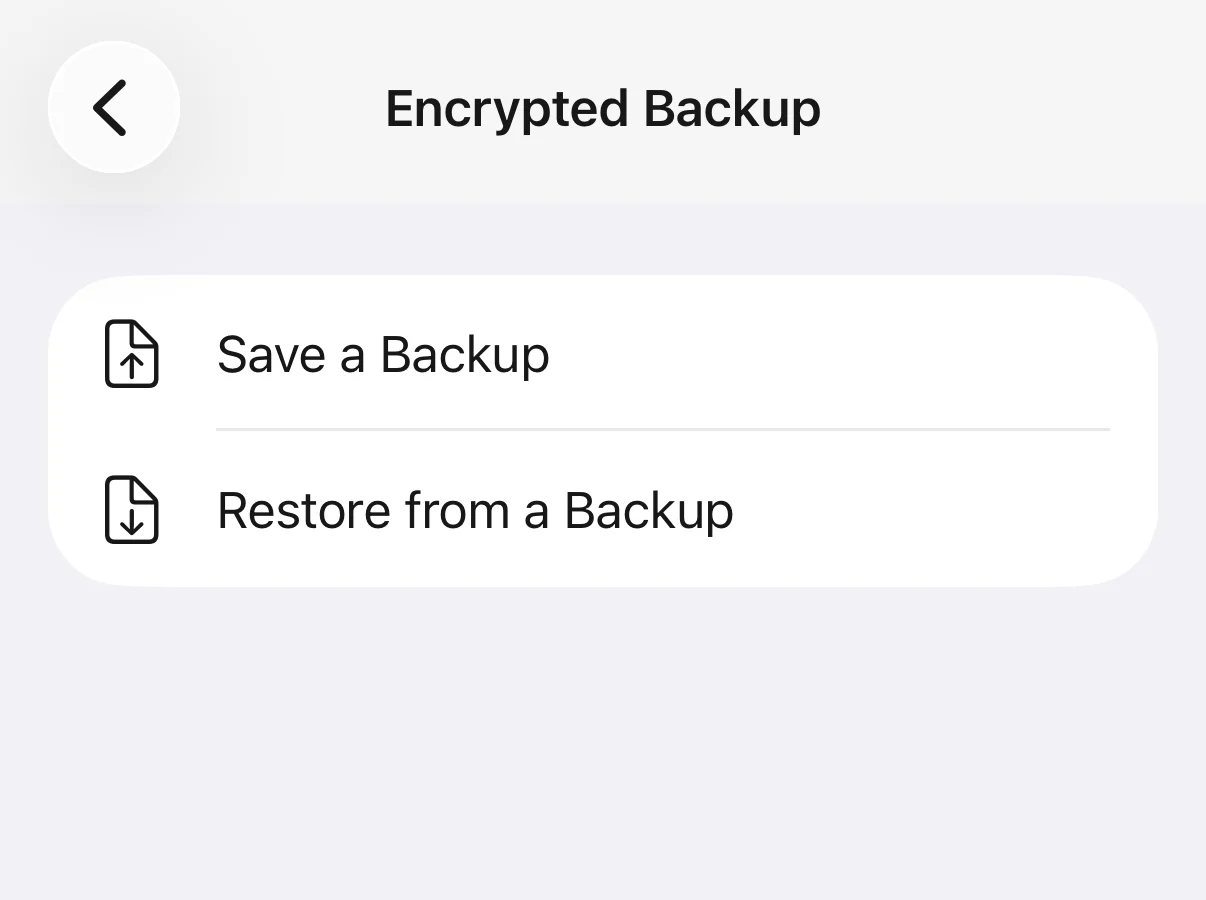
Two cautions. The backup file is sealed under your six-digit code, and whoever holds a copy of it can try every code offline at about a second a guess, so the file belongs at home or in your own cloud storage, not on the phone you are carrying. And the files you deleted from the phone before travelling are subject to the same forensic caveat as any deleted file. The app sends anonymous usage events and a purchase check, never your photos, file names or code.
At the desk, and afterwards
- Stay calm and answer truthfully
- EFF's three rules again: courteous, no lies, no physical interference. Hand over the device if ordered to; the question is only whether you unlock it.
- If you comply, say so under protest
- EFF suggests stating that you are complying under protest and do not consent. It does not stop the search. It may matter later.
- Ask for the paperwork
- CBP says it provides notification before a device search, usually a tear sheet that explains the authority and how to seek redress. The CBSA says the officer explains the process if a device is detained, and that you have 90 days to contest an enforcement action.
- Change what you disclosed
- If you gave a passcode, change it once you are through, and change any account password that was visible. CBP says codes are deleted after the search; changing yours costs nothing.
- Get the record
- EFF notes that anyone can ask the US government for its records of the encounter under the Freedom of Information Act, and citizens and permanent residents can also use the Privacy Act.
Sources: EFF: Digital Privacy at the U.S. Border (2017), US Customs and Border Protection: Border Search of Electronic Devices at Ports of Entry, Canada Border Services Agency: Examining digital devices at the Canadian border
Other countries
This page covers the United States and Canada because both agencies publish their policy and their numbers, and we will not describe rules we cannot source. Many countries assert a right to examine devices at the border; the power to compel a password, and the consequences of refusing, differ widely. Before travelling somewhere you are unsure of, read the border agency's own page, and if you cannot find one, assume the strictest case and carry less.
Questions
Can US border agents search my phone without a warrant?
Yes. CBP says all travellers and their effects are subject to inspection, and that this authority extends to electronic devices. A basic, manual search needs no suspicion. An advanced search, where equipment is connected to copy or analyse the device, requires reasonable suspicion or a national security concern and senior approval under CBP policy.
How likely is it that my phone will be searched?
Very unlikely. CBP searched the devices of 55,318 travellers in fiscal 2025 out of more than 419 million processed, under 0.01 percent, and 92 percent of those searches were manual. The CBSA reports 0.007 percent of travellers from late 2017 to the end of 2025.
Do I have to give customs my phone passcode?
In the US, you can decline. A citizen will not be refused entry for it, but the device may be held and the process may take longer; a visitor's refusal can count against admission. In Canada, the CBSA says you are obligated to provide your password when asked, and refusing can mean the device is detained or seized.
Can border agents look at my iCloud or Google Photos?
Not through your phone, under both agencies' stated policy. CBP says officers may not use the device to access information stored solely remotely and must disable network connections first; the CBSA says the same. Anything cached on the phone from those services is on the device, and is in scope.
Should I delete photos before crossing a border?
If you do not want them seen, EFF says deleting them or moving them to a secured laptop or cloud storage is the simplest approach. Back up first, and know that deleted files can be recovered by a forensic examination, which is the rarer, advanced kind of search. Do not delete anything you are legally required to keep.
Is it illegal to hide photos from border agents?
Lying to a border agent can be a serious crime, and EFF warns that deliberately hiding data from agents could be viewed as illegal, so it recommends against decoys, hidden volumes or anything that appears designed to mislead. Choosing what you carry is different from deceiving an officer about what you carry. Answer questions truthfully.
Is Face ID or a fingerprint safe at the border?
EFF recommends a passcode you memorise instead. Biometrics may not carry the same legal protections as a password, and a powered-off phone requires the passcode anyway. Turn biometric unlock off for the crossing and power the phone down before you reach the checkpoint.
Will a photo vault app protect my photos at the border?
Not from a search. The app is visible on an unlocked phone and you can be asked to open it; refusing carries the same consequences as refusing to unlock the phone. A vault helps for the rest of the trip. For the crossing, export the vault to a backup file you leave at home or in your own cloud, remove it from the phone, and restore it afterwards.