Send anything to anyone. Privately.
An open-source app that sends files end-to-end encrypted, to any device or to anyone with a link. No cloud storage, no accounts, no size limits.


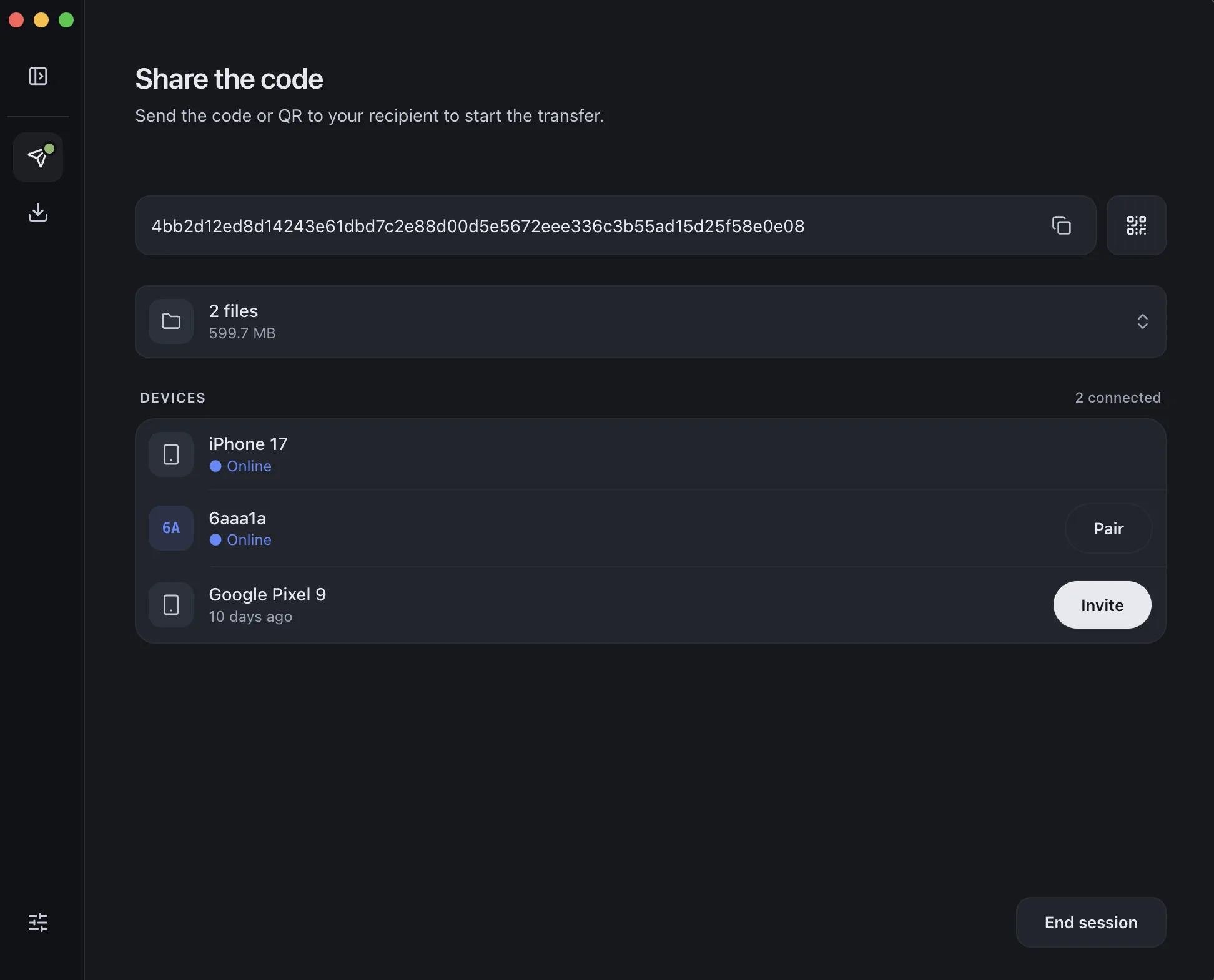
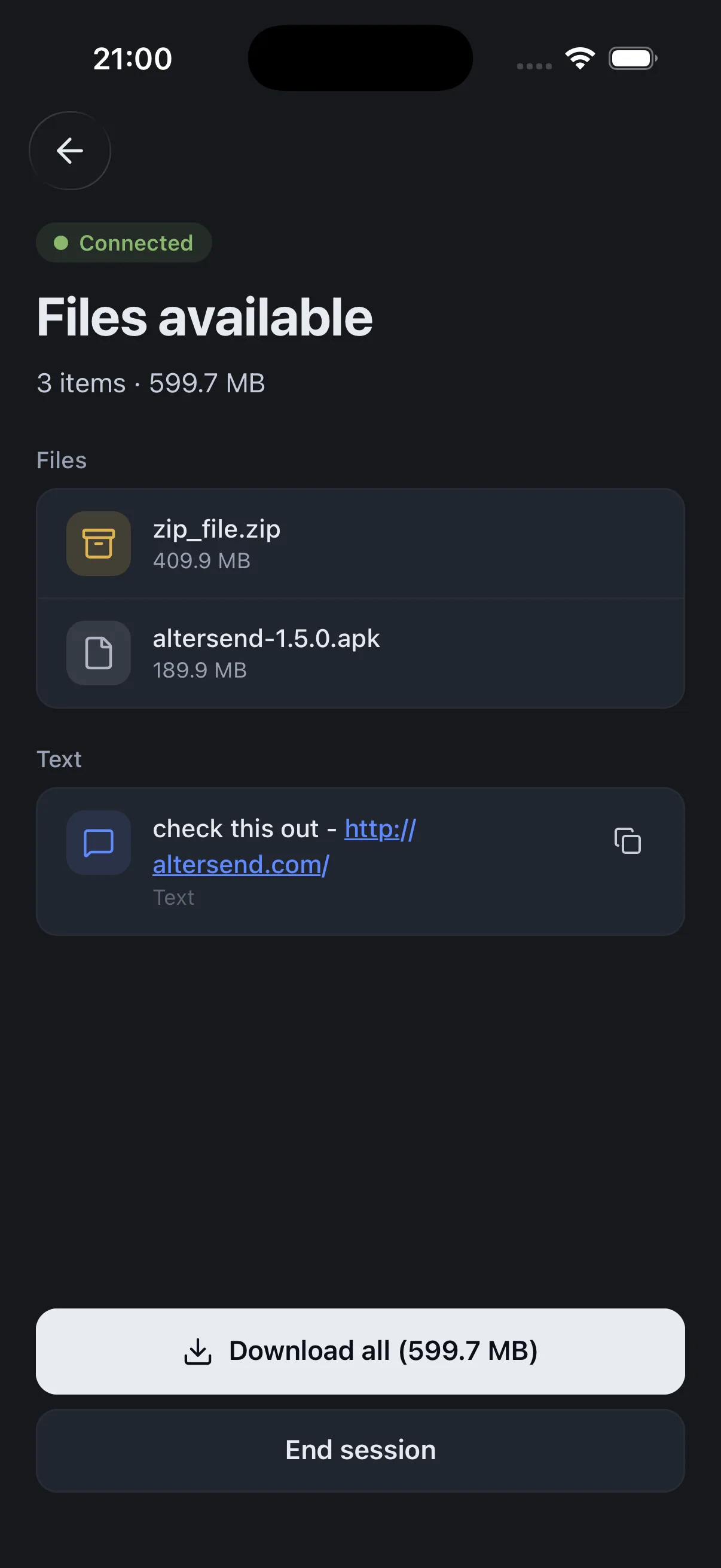
How a transfer happens
Pair once with a QR code or a short code — after that your devices recognize each other, and files move straight between them.
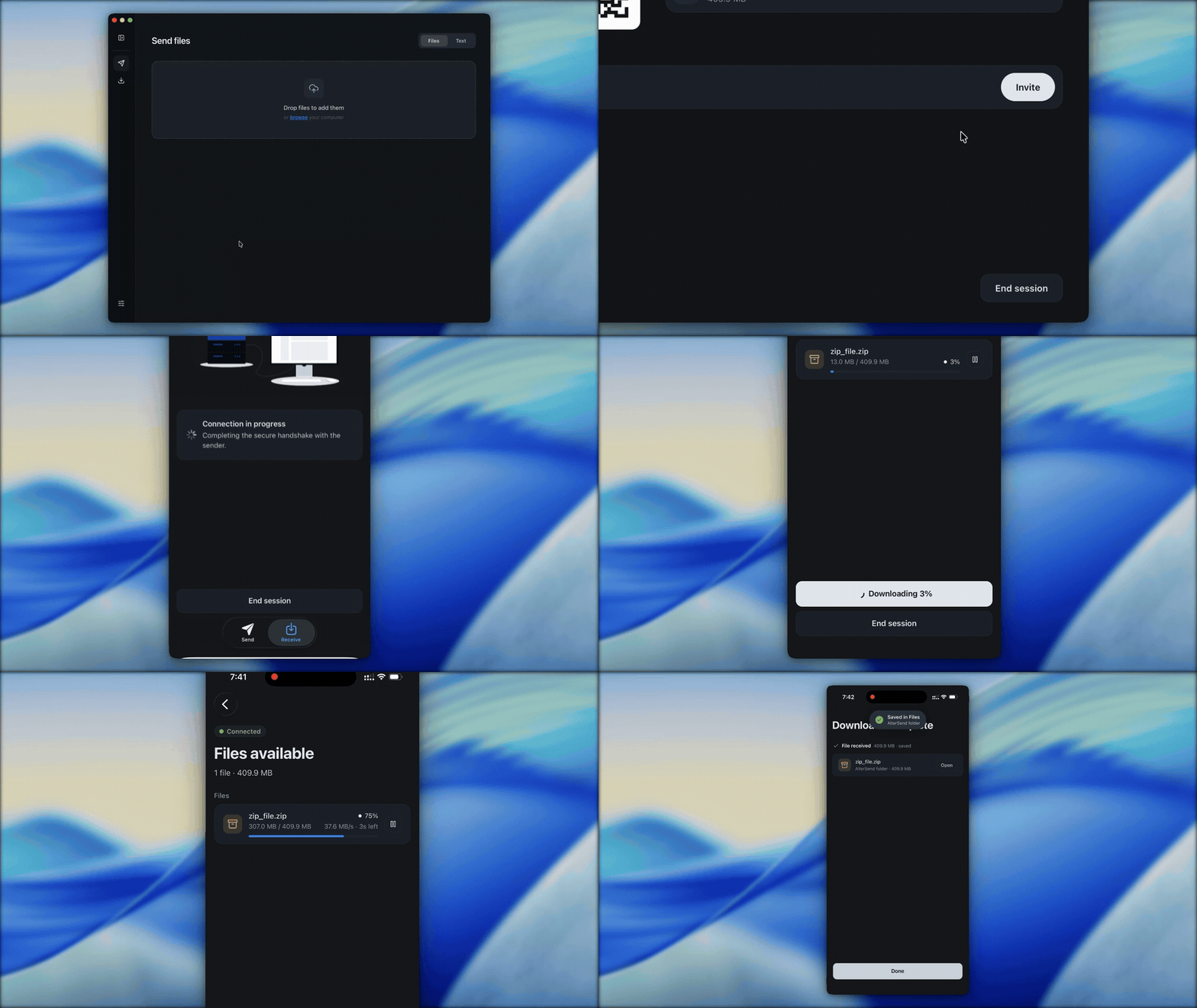
They don't need the app
Share a link and they download in the browser — no install, no account, straight from your device.
Built for transfers. Not uploads.
FAQs
Because each alternative makes you trade something away. AirDrop only works between Apple devices. WeTransfer uploads and stores your files, capped at 2 GB free. LocalSend and Snapdrop only work on the same network. AlterSend keeps what's good about each without the tradeoff: cross-platform, unlimited size, no cloud storage, and it works over the internet just as easily as on your Wi-Fi.
An encrypted relay steps in and forwards the data instead — it's still end-to-end encrypted, so the relay can't read your files either. Relays are servers we host and pay for, so relay-routed transfers are capped at 20 GB between apps and 10 GB for browser links. Direct transfers stay unlimited, and you can run your own relay to remove the cap.
It picks up where it left off. Lost connection, closed laptop, dead battery — reconnect and the transfer resumes instead of starting over.
Yes. Send a link and they download straight from the browser. Nothing to install, nothing to sign up for. Browser links go through our relay, so they cap at 10 GB. Larger than that, use the app on both sides.
Yes. Same room or different continents — the connection is direct either way.
No. There is no cloud storage holding your files, so there is nothing to store or scan.
No. Even when a transfer goes through our relay, it stays end-to-end encrypted — we can't read it, store it, or hand it over.
Just remove it from your paired list on another device. Only a public key was ever stored for it — nothing that exposes your files or identity.
There is no cloud storage to pay for. AlterSend is open source, and direct transfers cost us nothing to run. We only pay for the relay, so relay-routed transfers have a size cap. Pro lifts it.
This app beats Localsend and Blip, and has the potential of becoming really big!
This looks really clean, been wanting something exactly like this for sending large files between my devices without dealing with upload limits.
It's completely free, open source, and works on tons of different platforms. The developer is always making it better.
AlterSend is a free P2P transfer service that allows you to directly transfer large files over the internet or even using only local Wi-Fi. It requires no account, is ad-free, and is compatible with smartphones and PCs.
Cross-platform peer-to-peer file transfer without servers.
Why upload your files to Google Drive, Dropbox, or WeTransfer just to share them once?
No cloud storage. Encrypted. Works locally but also on the internet.
This app beats Localsend and Blip, and has the potential of becoming really big!
This looks really clean, been wanting something exactly like this for sending large files between my devices without dealing with upload limits.
It's completely free, open source, and works on tons of different platforms. The developer is always making it better.
AlterSend is a free P2P transfer service that allows you to directly transfer large files over the internet or even using only local Wi-Fi. It requires no account, is ad-free, and is compatible with smartphones and PCs.
Cross-platform peer-to-peer file transfer without servers.
Why upload your files to Google Drive, Dropbox, or WeTransfer just to share them once?
No cloud storage. Encrypted. Works locally but also on the internet.
Try AlterSend as well, it is P2P file sharing, very fast and nice pairing between devices (cross-platform).
Supports P2P like Blip, but without an account — seems like best of both worlds.
An alternative to NordVPN Meshnet, thanks.
Cross-platform peer-to-peer file transfer tool, no account required, no cloud relay needed — files of any size can be transferred directly between devices.
This is what WeTransfer should have been: files of any size, directly between devices — no uploading to the cloud, no middlemen, no accounts. 100% private and open source.
A free and open-source LocalSend and WeTransfer alternative for sending large files directly between devices with end-to-end encrypted P2P transfers. Cross-platform, with no accounts, no servers, and no size limits.
It allows for high-speed P2P file transfer between Android, iOS, and PC. It's highly secure due to its serverless and encrypted architecture. It's easy to use. Excellent.
Try AlterSend as well, it is P2P file sharing, very fast and nice pairing between devices (cross-platform).
Supports P2P like Blip, but without an account — seems like best of both worlds.
An alternative to NordVPN Meshnet, thanks.
Cross-platform peer-to-peer file transfer tool, no account required, no cloud relay needed — files of any size can be transferred directly between devices.
This is what WeTransfer should have been: files of any size, directly between devices — no uploading to the cloud, no middlemen, no accounts. 100% private and open source.
A free and open-source LocalSend and WeTransfer alternative for sending large files directly between devices with end-to-end encrypted P2P transfers. Cross-platform, with no accounts, no servers, and no size limits.
It allows for high-speed P2P file transfer between Android, iOS, and PC. It's highly secure due to its serverless and encrypted architecture. It's easy to use. Excellent.
Awesome! I've tried to use Blip in the past, but it's SO buggy and unusable. I'll be trying this out!
Looks amazing — this will be finally the replacement of WhatsApp to transfer files?
Installed to test, so far it's working great.
Cloud storage often gets stuck at snail-paced uploads, and the recipient has to log in just to download. AlterSend focuses on direct file transfers between devices, without going through any cloud server relay.
Peer-to-peer file transfer, end-to-end encrypted, no account, no server, and no size limit. A direct alternative to WeTransfer or Google Drive for those who prefer to keep their files out of the cloud.
I'm using this program on all devices. Thank you for making it.
I really like the experience and share between my devices. Huge advantage is no cloud.
Awesome! I've tried to use Blip in the past, but it's SO buggy and unusable. I'll be trying this out!
Looks amazing — this will be finally the replacement of WhatsApp to transfer files?
Installed to test, so far it's working great.
Cloud storage often gets stuck at snail-paced uploads, and the recipient has to log in just to download. AlterSend focuses on direct file transfers between devices, without going through any cloud server relay.
Peer-to-peer file transfer, end-to-end encrypted, no account, no server, and no size limit. A direct alternative to WeTransfer or Google Drive for those who prefer to keep their files out of the cloud.
I'm using this program on all devices. Thank you for making it.
I really like the experience and share between my devices. Huge advantage is no cloud.
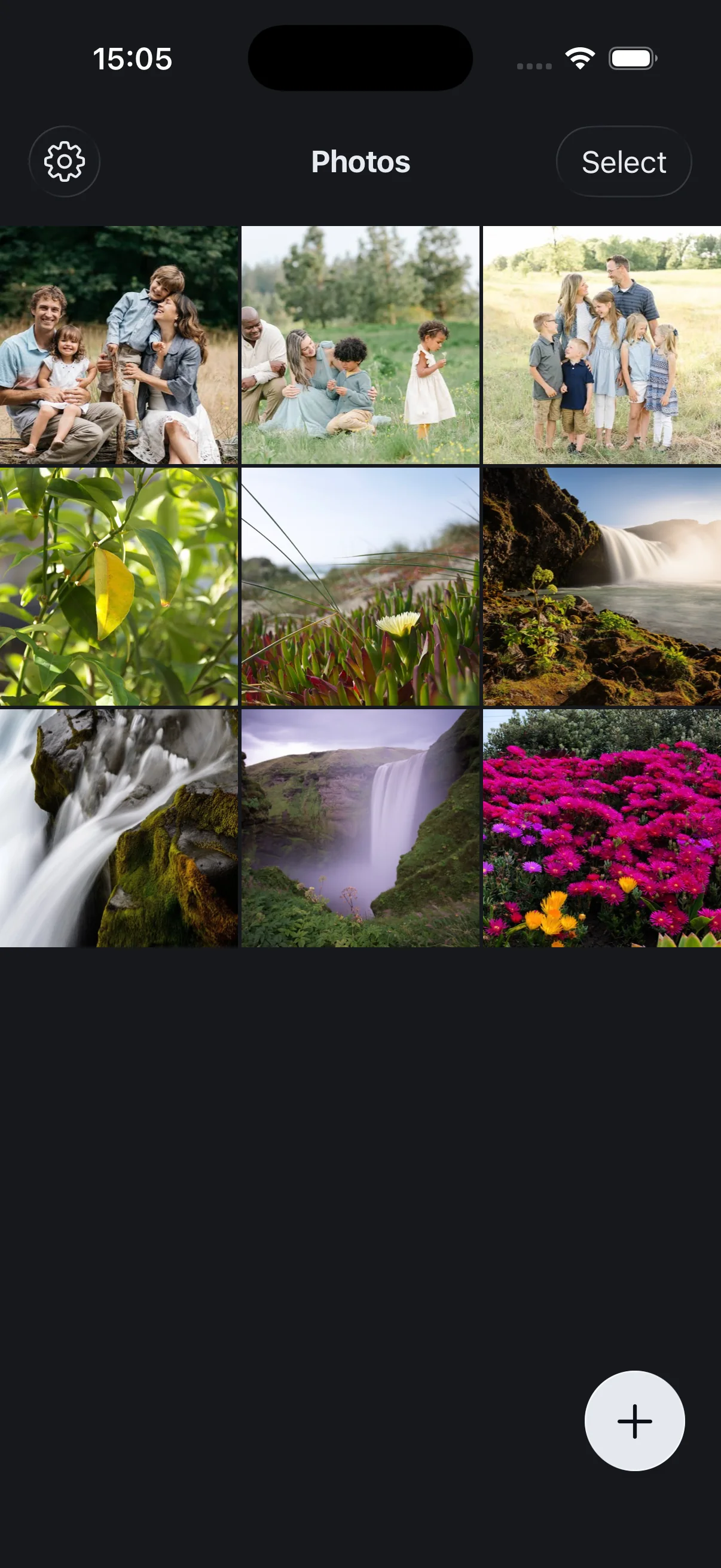
 AlterVault
An encrypted vault that turns into an ordinary gallery.
Our second app. Photos, videos and documents locked behind a PIN and encrypted on your phone. Nothing is uploaded anywhere.
See AlterVault